
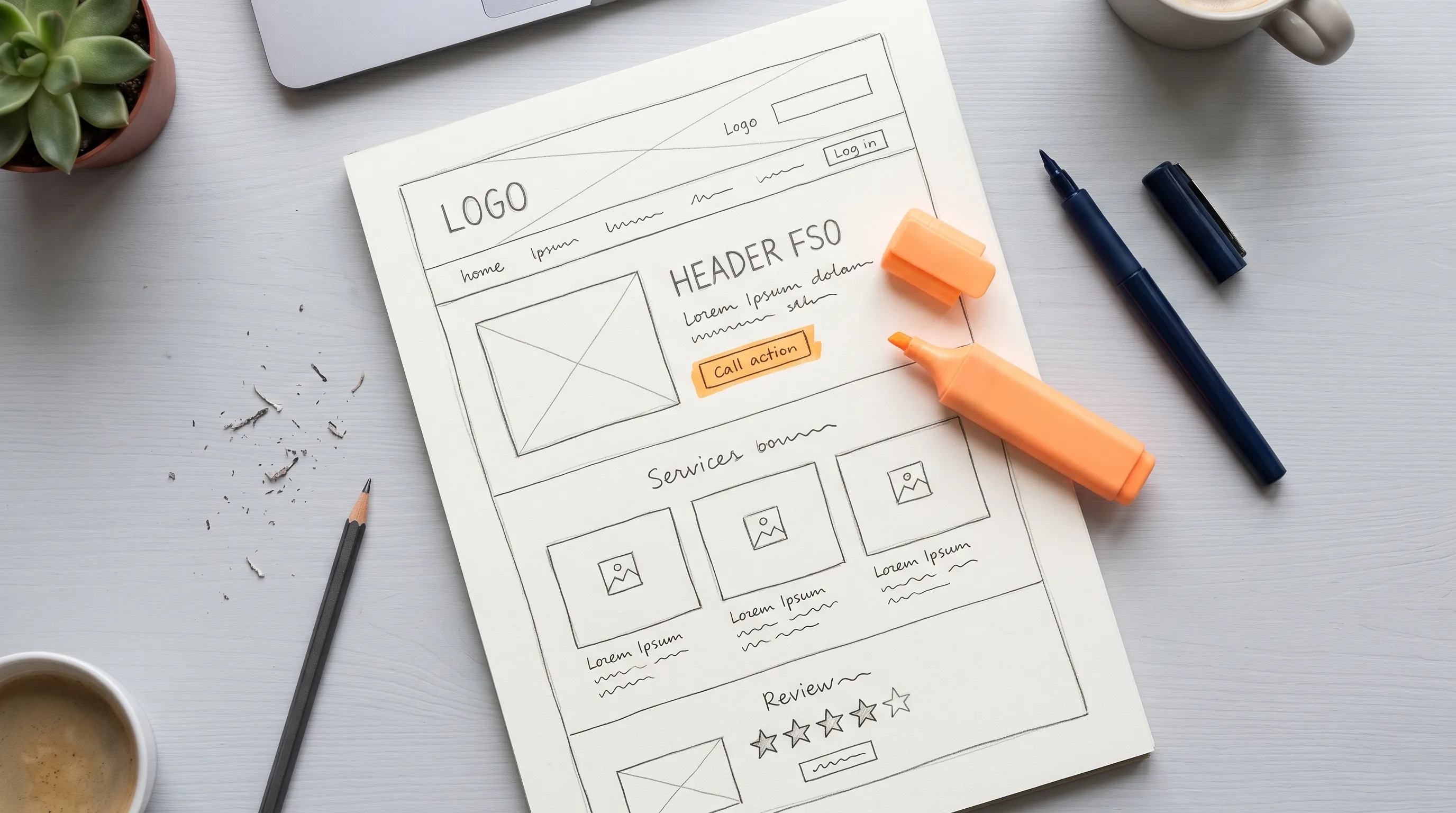
A website that just sits there isn’t doing its job. It’s a brochure. The ones worth paying for work more like an engine: they get found, they earn trust in the first few seconds, and they hand you a lead you didn’t have to chase.
This guide is for owners of local service businesses: contractors, landscapers, home service companies, nonprofits, and museums. It covers what a good WordPress site does, what goes into building one, what to watch for along the way, and what it takes to keep it healthy after launch. Each section links to a deeper article when you want the detail.
In this guide
- What your website actually has to do
- Why WordPress for most small businesses
- The pages that matter most
- Built to be found
- Speed: what actually slows a site down
- Accessibility basics
- Forms, phone calls, and tracking
- How the process works
- Replacing an old site without losing rankings
- Hosting, security, and maintenance
- Refresh or rebuild?
- What this looks like in practice
- Questions to ask any web designer
- Common questions
What your website actually has to do
Forget design awards. A small business website has three jobs.
- Get found. When someone searches for what you do, your site needs to show up, and load fast enough that they stay.
- Earn trust quickly. A visitor decides in seconds whether you look like a real, capable business. Clear services, real photos, real proof.
- Turn visitors into calls and requests. Every page should make the next step obvious: call, request a quote, book a time.
If your site does those three things, it’s working. If it doesn’t, a new color scheme won’t fix it. Our guide to the essential elements of highly effective websites breaks down what separates the two.
It also helps to decide, before anyone designs anything, what a “win” looks like. For most service businesses it’s a phone call or a quote request. Know what one of those is worth to you, and you can judge every decision about the site against it.
Why WordPress for most small businesses
We build on WordPress for content-driven business sites. The reasons are practical:
- You own it. The site is yours, on hosting you control. No platform can raise prices on you or shut your site off.
- You can edit it. Your team can change text, photos, and pages without calling a developer.
- It grows with you. Add a quote form, an event calendar, or a booking tool later without starting over.
- Search engines handle it well. It produces clean pages that are easy for Google to read, and you control the details: page titles, descriptions, URLs, and structure.
- There’s no shortage of people who know it. If you ever want to change developers, any competent one can pick it up.
Drag-and-drop builders are easier on day one. They cost you later in speed, security, and flexibility, and moving off one usually means rebuilding from scratch. We compare the two directly in WordPress vs. Builders: The Speed and Security Reality Check. If you’re new to WordPress, start with The Small Business Owner’s Guide to WordPress.
WordPress isn’t the answer to everything. For custom dashboards, client portals, and internal tools, we build purpose-made applications instead, so you’re not forcing your workflow into a template. See Websites & Web Development for both paths.
The pages that matter most
You don’t need fifty pages. You need the right handful, each doing a specific job.
Your homepage
The homepage answers three questions fast: what do you do, where do you do it, and what should I do next. That means a clear headline in plain language, your service area, your phone number, and one primary button. Proof belongs near the top too: a few reviews, a recognizable client, or a number you can stand behind. Skip the slideshow and the vague mission statement.
One page per service
Give every service you sell its own page, written for the person searching for that service. Not one “Services” page with a bulleted list. A page about roof repair should talk about roof repair: what you do, how it works, what the customer should expect, and the questions they’ll have. Separate pages give Google something specific to rank and give visitors the exact answer they came for.
A strong service page usually has:
- A headline that names the service and the area
- A plain explanation of what’s included and how the job goes
- Photos of real work
- A few reviews or a short case study
- Answers to the five questions customers always ask
- A clear next step
Your about page
People hire people. Show who runs the business, how long you’ve been doing this, and what a customer can expect from working with you. Real photos beat stock images every time. Say how to reach a real person.
Your contact page
Keep it simple. Phone number, short form, service area, and hours. A long form with ten required fields costs you leads. Ask for what you need to follow up and nothing more.
Proof, everywhere
Reviews, completed projects, and case studies do more persuading than your own claims. Put them on the pages where people decide, not buried on one “testimonials” page nobody visits.
Built to be found
A beautiful site nobody finds is a very expensive hobby. Search-friendly structure should be part of the build, not an add-on afterward.
- Clear page titles and descriptions. These are what people see in Google’s results. Each page needs its own, written for a human.
- Proper headings. One main heading per page, then sections beneath it. This helps visitors skim and helps Google understand the page.
- Clean, readable URLs.
/services/roof-repair/beats/page?id=47. - Your business details, consistent everywhere. Same name, address, and phone number on your site as on your Google profile and directories.
- Local signals. Your service area stated clearly in the content, not just in a footer.
- Structured data. Behind-the-scenes markup that tells Google your business name, location, and services in a format it can read directly.
- Pages for the areas you serve. One genuinely useful page per town you want to rank in, with real detail about the work and the area. Not the same page copied with a different town name swapped in.
For a deeper look at how rankings work and how ads fit in, see our companion guide on local SEO and Google Ads for service businesses.
Speed: what actually slows a site down
Most local searches happen on a phone, often on a mobile connection. If your site takes too long to show something useful, people leave before reading a word. Google also measures this. It scores how quickly the main content appears, how fast the page responds when someone taps, and whether things jump around as it loads. Those measures are called Core Web Vitals.
What usually causes a slow site:
- Oversized images. A photo straight from a phone camera can be many times larger than it needs to be.
- Too many plugins. Each one adds code. Fewer, better ones keep a site lean.
- Heavy page builders. Visual builders often add layers of extra code to every page.
- Weak hosting. Cheap shared servers respond slowly no matter how well the site is built.
- Third-party scripts. Chat widgets, trackers, and embeds each add weight.
What fixes it: properly sized images, a lean build, good hosting, and caching. We cover practical fixes in 8 Tactics to Make Your Website Load Faster, and why it matters in Why It’s Important to Optimize Your Website Speed.
Accessibility basics
An accessible site works for people using screen readers, keyboard navigation, or captions, and it reduces legal risk for your business. It also tends to be better for everyone else: clearer structure, readable text, labeled forms.
The basics to check on any site:
- Text with enough contrast against its background
- Descriptions (alt text) on meaningful images
- Forms with clear labels
- Everything reachable and usable with a keyboard
- Headings in a logical order
- Links that say where they go, not “click here”
We build to the WCAG standard, the widely used accessibility guideline set. Read Benefits of Making Websites Accessible and The Importance of Accessible Websites in 2024 for the full picture.
Forms, phone calls, and tracking
A site that generates leads but doesn’t tell you where they came from leaves you guessing about what’s working.
- Make calling effortless. On a phone, your number should be a tap away from every page.
- Keep forms short. Name, contact info, and a message. Add fields only when you truly need them.
- Confirm it worked. After a visitor submits a form, show a clear thank-you and send them a confirmation.
- Answer fast. Speed to respond often decides who gets the job. Set up alerts so a new lead reaches a real person quickly, or use automation to respond right away. See our AI workflow automation service.
- Track the result. Measure form submissions and calls so you know which pages and which marketing produce leads.
How the process works
Most custom WordPress sites take 4 to 8 weeks from first conversation to launch, depending on how much content and revision is involved. Here’s the sequence.
- Discovery and strategy. We learn your business, your customers, and what a lead is worth to you. This decides the site structure.
- Design and prototype. You see layouts that match your brand before anyone writes code.
- Build and QA. We build on a tested stack and check it across browsers and devices.
- Launch and support. We handle go-live and stay on as your technical contact.
The fastest way to slow a project down is waiting on content: photos, service descriptions, and approvals. Have those ready and the timeline holds. You get the same point of contact from first call to launch and after, with no handoffs to a team you’ve never met.
Replacing an old site without losing rankings
A redesign is one of the riskiest moments for your search traffic. A careful migration protects what you’ve already earned.
- Map every existing URL. Know every page that exists now and where it will live after.
- Redirect old pages to their new homes. A permanent (301) redirect tells Google the page moved, and passes along its standing. Without it, visitors and Google hit dead ends.
- Keep what already works. Page titles, descriptions, and content that rank well shouldn’t get rewritten without a reason.
- Check search results after launch. Watch for pages dropping out of the index or errors appearing, and fix them quickly.
If your current site was built on a platform that’s shutting down or you’ve outgrown, migration done right keeps your visibility intact. It’s exactly the kind of project we handled in the Outdoor Splendor case study below.
Hosting, security, and maintenance
A website isn’t finished at launch. Software ages. Plugins need updates. Threats change. A site that’s ignored for a year is a risk to your business, and often to your search rankings too.
What good hosting includes
- Fast servers, so pages load quickly
- Regular backups you can actually restore from
- Uptime monitoring, so you hear about outages before your customers do
- Security protections
- A real person to call when something breaks
That’s what our Web Hosting & Care Plans cover.
The maintenance basics
- Updates and backups, on a schedule. Start with 10 Essential WordPress Maintenance Tips and Updating WordPress Plugins: A Step-by-Step Guide.
- Security. Use the WordPress Security Checklist and 5 Essential Website and Online Security Tips.
- The right plugins. Fewer is better. See Small Business Must-Have WordPress Plugins for 2026 and 6 Free WordPress Plugins.
- A routine check-up. If Your Website Was a Car walks through it in plain language.
Need to give your agency access to your domain? Here’s how to grant manager permission on your Namecheap domain.
Refresh or rebuild?
If your site still has solid bones, a refresh (new design, better content, speed fixes) costs less than a rebuild. If it’s slow, hard to edit, or built on a platform you’ve outgrown, a rebuild saves money in the long run.
Signs it’s time to act:
- It looks dated or breaks on a phone
- You can’t update it yourself
- It loads slowly
- It generates few or no leads
- Your competitors’ sites look and perform better
- It’s running on software that’s no longer supported
Our posts on the benefits of a website refresh, when it’s time to refresh your design, and why a local services business needs to refresh an old website help you decide. For a bigger-picture view, read The Digital Anchor: Why Your Small Business Website Is Your Most Critical Asset and why DIY website builders are on their way out.
What this looks like in practice
We’d rather show you than tell you. A few real projects:
- Outdoor Splendor: moved 300+ pages to a new site before the old platform’s sunset deadline, with an average page load under 4 seconds.
- The Pet Care Group: a scalable service-and-location structure, and qualified booking leads up 35%.
- Wharton Esherick Museum: pages load in under 3 seconds on average, with 99.9% uptime.
- Ross Landscape & Paving: a mobile-ready, accessible site their team updates without a developer.
- The Crime Victims’ Center of Chester County: an accessible nonprofit site where staff manage events without a developer.
- Dynamic Celebration Lighting: a move from AppDrag to WordPress, launched for their Q4 peak season.
Browse them all on our case studies page. If you run a nonprofit, our guide on WordPress for nonprofits covers what’s different for you.
Questions to ask any web designer
Whether you hire us or someone else, ask these before you sign.
- Who owns the site, the domain, and the hosting account after launch?
- Can I edit the text and images myself?
- How fast will it load on a phone, and how will you prove it?
- What happens to my search rankings if you’re replacing an existing site?
- Who do I call when something breaks, and how quickly do you respond?
- What’s included after launch, and what costs extra?
- Will I see real examples of your work, and can I talk to a past client?
Straight answers to all of them is a good sign. Hedging on any tells you something too.
Common questions
How long does it take to build a new website?
Most custom WordPress websites take 4 to 8 weeks from discovery to launch, depending on scope and how much content and design revision is involved. Custom web applications and portals take longer because the functionality is more complex. We give you a firm timeline once we’ve scoped your project.
Do you build on WordPress or a custom platform?
It depends on your goals. WordPress is our go-to for content-driven business websites because it gives your team full editorial control without sacrificing speed or security. For dashboards, client portals, and internal tools, we usually recommend a custom-built application that fits your workflow.
Will I be able to update the website myself?
Yes. We build every site with an editing experience your team can use, and we walk you through it at launch. You won’t need a developer to update text, images, or basic page content.
What happens if something breaks after launch?
Every site we build comes with the option for ongoing care: managed hosting, uptime monitoring, and proactive security updates. If something breaks, we’re the same team that built it, so we already know the site and can fix it fast.
Can you move my existing site without hurting my rankings?
Yes. We map every existing URL, preserve your redirects and metadata, and monitor your rankings closely in the weeks after launch to catch problems quickly.
Local web design in Chester County
We’re based in Chester County, PA, and we work with businesses across the area. If you’re nearby, see our web design pages for West Chester, Downingtown, Exton, Phoenixville, Pottstown, and Reading.
Ready to talk?
If your website isn’t bringing in the leads it should, a zero-pressure call is the fastest way to find out why. We’ll look at your site, tell you what we’d fix first, and give you a straight answer on whether a refresh or a rebuild makes sense.