
Almost every business owner, in-house marketer, and job applicant we talk to says the exact same thing:
“Yeah, of course I know how to use WordPress.”
Whenever we hear that, we quietly hold our breath.
To most people, “knowing WordPress” means logging into /wp-admin, typing up a blog post, changing the office hours on the Contact page, and clicking Install on a random plugin that promises to boost your traffic.
That isn’t knowing WordPress. That is knowing how to fill out a web form.
Think of it like driving a car. Almost everyone knows how to turn the key, step on the gas, and pair their phone to the radio. Very few people know how to rebuild a transmission or tune an engine’s timing.
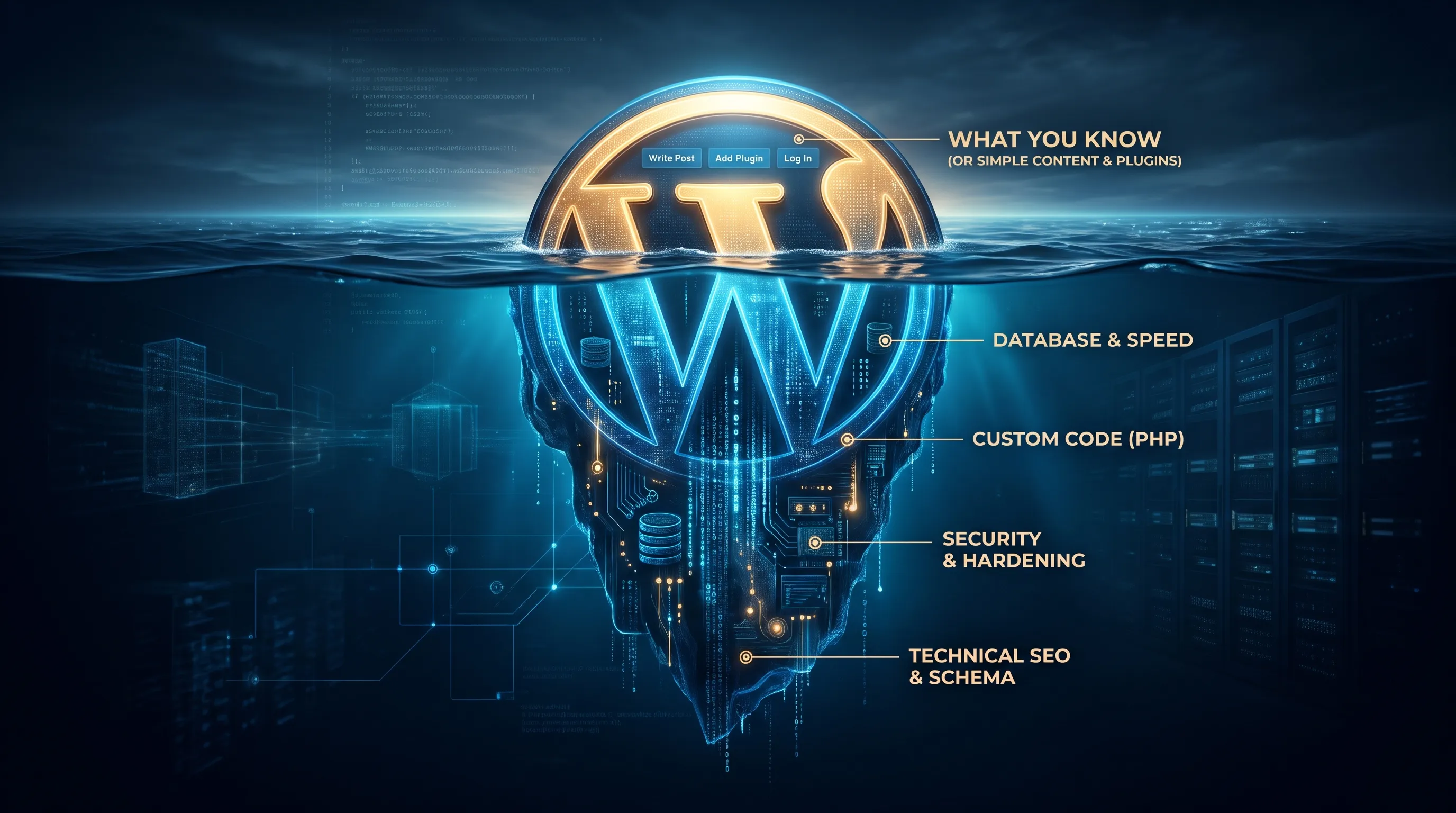
Between publishing a blog post and building a fast, secure business website lies a massive gap of database work, server setup, security, and search engine code. When you hire someone who only knows how to “drive,” you end up with a slow, fragile, plugin-heavy site that breaks at the worst possible time.
The Surface: What Most People Actually Know
Most people who say they “know” WordPress only touch the surface layer:
- Basic Content Entry: Writing standard posts, fighting with formatting blocks, and uploading huge 8MB photos straight from a phone or camera that destroy mobile load times.
- Surface Tweaks: Changing button colors, moving links around in the top menu, or dragging and dropping pre-made sections in a page builder.
- The “Plugin for Everything” Trap: Installing three different slider plugins, two form tools, and an abandoned plugin from four years ago just to get a pop-up banner to work.
Knowing how to click around the dashboard is totally fine if you’re running a personal hobby blog. Treating that basic knowledge like real web development is how business websites get hacked, buried on page five of Google, and stuck loading at dial-up speeds.
The Deep End: What Real WordPress Development Looks Like
Running WordPress professionally means knowing what is happening under the hood—at the server, database, code, and search engine levels.
Yes, the terms below get pretty technical. You don’t need to know how to do any of this yourself—that’s our job. However, seeing what actually goes into a pro-level site makes it obvious why simply “knowing how to log in” isn’t enough.
| The WordPress Stack | What's Actually Inside | Who Handles It |
|---|---|---|
| 1. The Surface Layer | Blog Posts, Page Content, Menus, Plugin Store | Anyone who can log in |
| 2. Custom Admin Setup | Custom Post Types (CPTs), Custom Fields (ACF), Global Site Settings | 610 Digital (built so you can easily use it) |
| 3. Code & Architecture | Object-Oriented PHP, Action/Filter Hooks, REST API, WP-CLI, Git CI/CD | 610 Digital |
| 4. Data & Search Engine | Serialized MySQL Queries, wp_options Cleanup, Custom JSON-LD Schema |
610 Digital |
| 5. Speed & Security | Redis Object Caching, Server TTFB, Web Application Firewall (WAF), File Hardening | 610 Digital |
1. Speed & Performance
- The Technical Reality: Real speed optimization means fixing slow MySQL database queries that skip indexes, cleaning out bloated autoloaded data in the
wp_optionstable, eliminating render-blocking JavaScript, preventing Cumulative Layout Shift (CLS), getting server Time to First Byte (TTFB) under 200ms, and setting up server-level object caching with Redis or Memcached alongside Cloudflare edge rules. - In Plain English: Slapping a basic caching plugin onto a badly built website is like putting a racing stripe on a minivan whose trunk is filled with 2,000 pounds of bricks. We actually open the trunk, take out the bricks, and tune the engine so your site loads instantly.
2. Technical SEO & Schema Markup
- The Technical Reality: Getting a “green light” in Yoast or Rank Math is barely step one. True technical SEO requires custom JSON-LD schema markup—building connected data graphs for
Organization,Service,Author, andItemPageentities. It also means managing Google’s crawl budget, fixing broken canonical tags, blocking thin taxonomy archives from indexing, and filtering XML sitemaps dynamically. - In Plain English: Standard SEO plugins just put a basic title label on the front of your store. Writing custom Schema and managing crawl paths is like handing Google an exact, aisle-by-aisle blueprint of your entire building, written in Google’s native language, so it knows exactly who to send to your door.
3. Safe Development & Updates
- The Technical Reality: Professional teams never edit code directly inside the live WordPress dashboard or drag files over FTP. We use local development environments (Docker, DDEV, LocalWP), Git version control, automated CI/CD deployment pipelines, and WP-CLI scripts that migrate serialized database arrays between staging and production servers without overwriting live customer orders or leads.
- In Plain English: Editing a live website directly is like doing open-heart surgery while the patient is running on a treadmill. One slip and the whole thing flatlines. We build an exact clone of your site in a private lab, test every change safely, and swap it in seamlessly without your visitors ever noticing a blip.
4. Real Security & Hardening
- The Technical Reality: Because WordPress runs over 40% of the web, automated bots attack it nonstop. Real protection means configuring Web Application Firewalls (WAF), locking down XML-RPC and exposed REST API endpoints, enforcing least-privilege file permissions, disabling PHP execution inside
/wp-content/uploads/, and vetting plugin code for unpatched vulnerabilities. - In Plain English: Installing a free security plugin is like putting a cheap “Beware of Dog” sticker on your front window while leaving the back door wide open. We deadbolt the doors, bar the basement windows, and put a guard at the gate before the bots even reach your site.
How 610 Digital Builds Sites You Can Actually Use
Here is the dirty secret of the web industry: Most WordPress sites are frustrating to use because the person who built it cut corners.
They install a bloated off-the-shelf theme with 500 confusing buttons, sliders, and settings. You go in to update an employee bio or change a phone number, and suddenly the whole page layout breaks. You shouldn’t have to worry about breaking your website just to make a simple text change.
At 610 Digital, we handle all the complicated technical work in the background so that your day-to-day experience is dead simple.
1. Easy-to-Use Systems for Your Daily Updates
Instead of forcing your team to fight with messy page builders, we build clean, custom dashboards designed around the content you actually change often:
- Custom Post Types (CPTs): Separate, organized menu sections built specifically for your business—like Projects, Locations, Services, Reviews, or Team Members.
- Custom Fields: Instead of a fragile drag-and-drop screen, you get simple fill-in-the-blank boxes. Type in the title, pick a photo, paste the bio, and hit save. Our code automatically puts everything in the exact right spot on the page, formatted perfectly for desktop and mobile.
- Global Site Settings: One single screen where you can update your phone number, business hours, holiday banners, or promo codes once—and have it automatically update across the entire website at the same time.
We give you the steering wheel and a clean dashboard to drive your business, while we keep the engine locked safely under the hood.
2. Heavy-Duty Development When You Need More
When you need more than content updates or when your business outgrows basic plugins 610 Digital has the engineering firepower to build whatever you need from scratch:
- Custom Tools & Features: Interactive pricing calculators, customer portals, custom quoting tools, and complex membership systems.
- Software & CRM Connections: Connecting your website directly to Salesforce, HubSpot, ERP systems, inventory trackers, or custom databases so your tools talk to each other automatically.
- High-Traffic & Enterprise Builds: Fast, rock-solid hosting and site setups built to handle huge traffic spikes without slowing down.
- Rescue & Cleanup Projects: Taking over messy, slow, or broken WordPress sites built by past freelancers and rebuilding them the right way.
Stop Fighting With Your Website
“Knowing WordPress” shouldn’t mean spending three hours fighting with a broken layout just to add a new photo. You should have a website that is effortless for your team to update on the surface, and rock-solid underneath.
Whether you want a clean, foolproof backend to manage your daily content, or you need high-level custom development to build something brand new, 610 Digital gets it done right.
Ready for a website that actually works the way it should? Contact 610 Digital today to talk about your site.